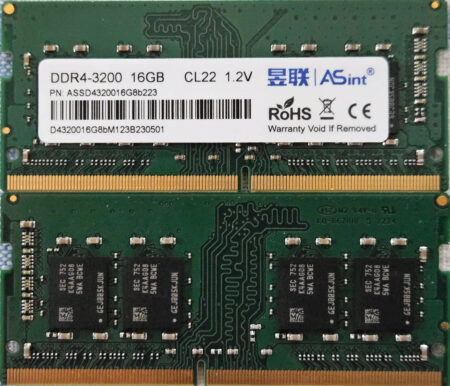
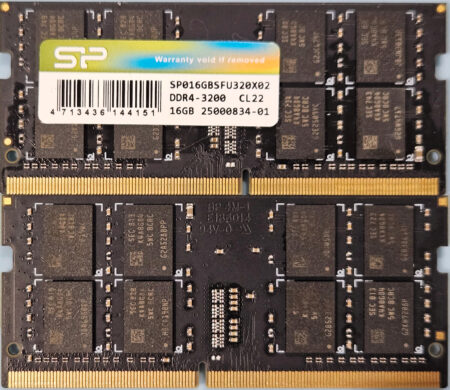
As I noted in the hardware description I do not have any 16GB SODIMMs to try out - but others do, one being Kevin who had a couple of 5070s which he decided to upgrade.
I found that with BIOS 1.3.1 you get a series of beeps (1 2 3 5 2 5 2 etc.) if you install 16GB DIMMs.
After upgrading the BIOS to 1.35, they work perfectly fine. I've a 5070 running with 32GB of RAM that I pulled from
a more modern mini-PC that I upgraded. These are much faster RAM DIMMs, but they have no problem
running at the slower speeds (as expected).
Working RAM
...but later he upgraded the second 5070 with some RAM bought on Amazon:
...the other is flaky and gives an error before going into the BIOS setup. It does show that it sees
all the RAM, but it refuses to boot. Very strange. I swapped the RAM around and found no combination of
the RAM that worked with the RAM that didn't work.
Non-Working RAM
One obvious point that he noticed was...
The RAM that does *not* work has 8 chips on each side (8Gbit density), while the RAM
that *does* work has 4 chips on each side (16Gbit density).
He turned to Google for help using the error message he had been presented with:
Startup error message
...and that took him to a
thread on Reddit that was all about the Wyse 5070's 16GB RAM issue. Unfortunately it did
not provide a clear cut answer:
...The one who posted this exact error message appears to have disproved my hypothesis,
(4 chips per side vs 8 chips per side) but then someone else posts they bought the same
RAM and it *did* work for them. Another posted one that *did* work, yet had 8 chips per
side, so again, that may disprove my hypothesis.
....
One interesting tidbit in that discussion: Some people report getting the RAM to run at
2666 instead of 2400... mine is DDR4-3200 and runs at 2400, so I'm not sure how they got
the higher speeds
So there you are. The Reddit thread may help you select SODIMMs that work...or may not.